How I Organize a Dozen AI Agents in One Terminal

How I Organize a Dozen AI Agents in One Terminal
I regularly run 4 to 12 Claude Code agents at once, in one terminal window, and I can tell what every single one is doing without clicking into any of them. Three small, deliberate habits make that possible, and none of them are complicated: how the tabs are laid out, a second kind of tab that isn’t a tab at all, and tabs that spawn their own tabs.
Why terminal layout becomes a real problem
I run a lot of Claude Code agents at once. Not two or three; 4 to 12 most days. One’s fixing a bug, one’s drafting a Linear card, one’s waiting on a webhook, one’s just idling until I need it. At that scale the bottleneck isn’t remembering what each agent is doing, it’s seeing which tab is which without clicking into every single one to check. Scroll through a wall of identical-looking tabs and you’ve spent five minutes doing manual bookkeeping instead of work.
Vertical over horizontal
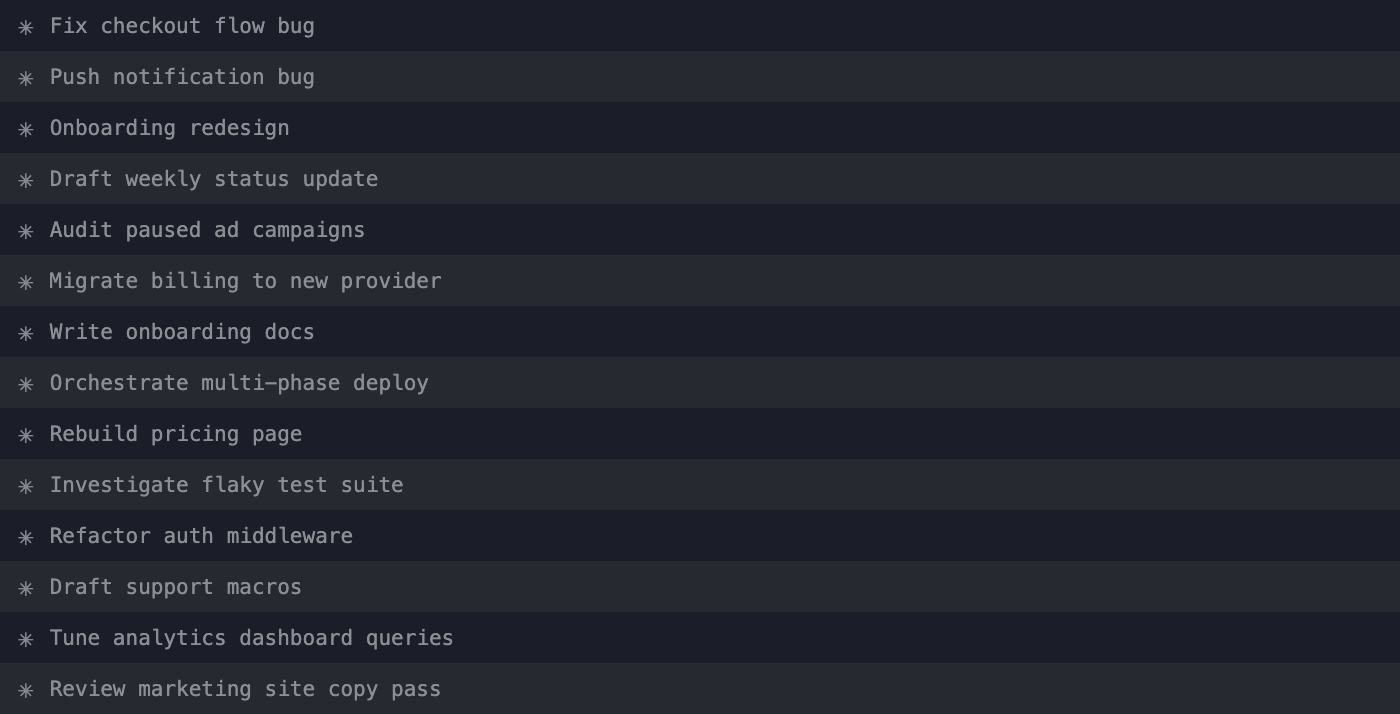
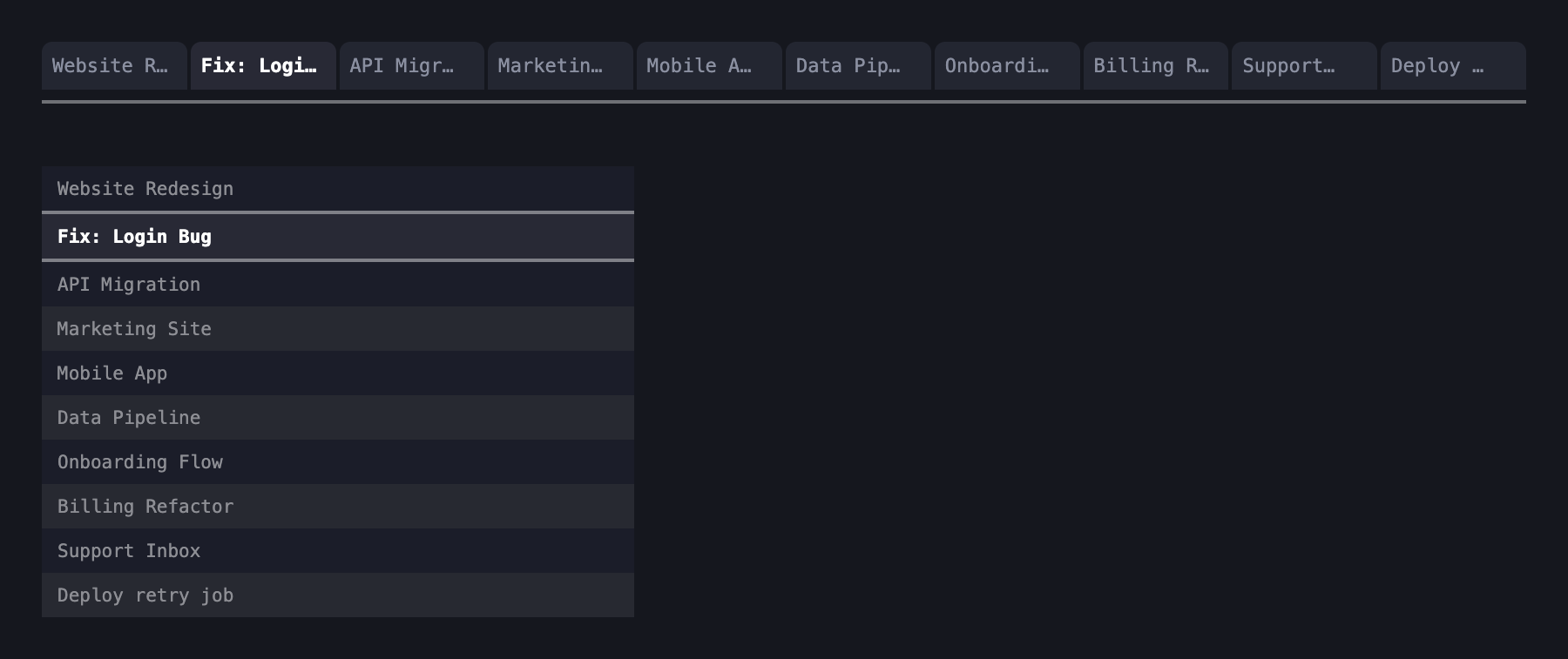
iTerm2 defaults to horizontal tabs across the top, and that’s fine until you cross maybe six or seven of them. Past that, titles truncate to ellipses and you’re staring at a row of dots. Switch to vertical tabs. A vertical strip holds two dozen full titles down the side of the screen before you’d ever need to scroll. It’s just the right axis for the problem; you have more vertical pixels to spare than horizontal ones once you’re past a handful of tabs.
Tab headers: fake tabs used as folder dividers
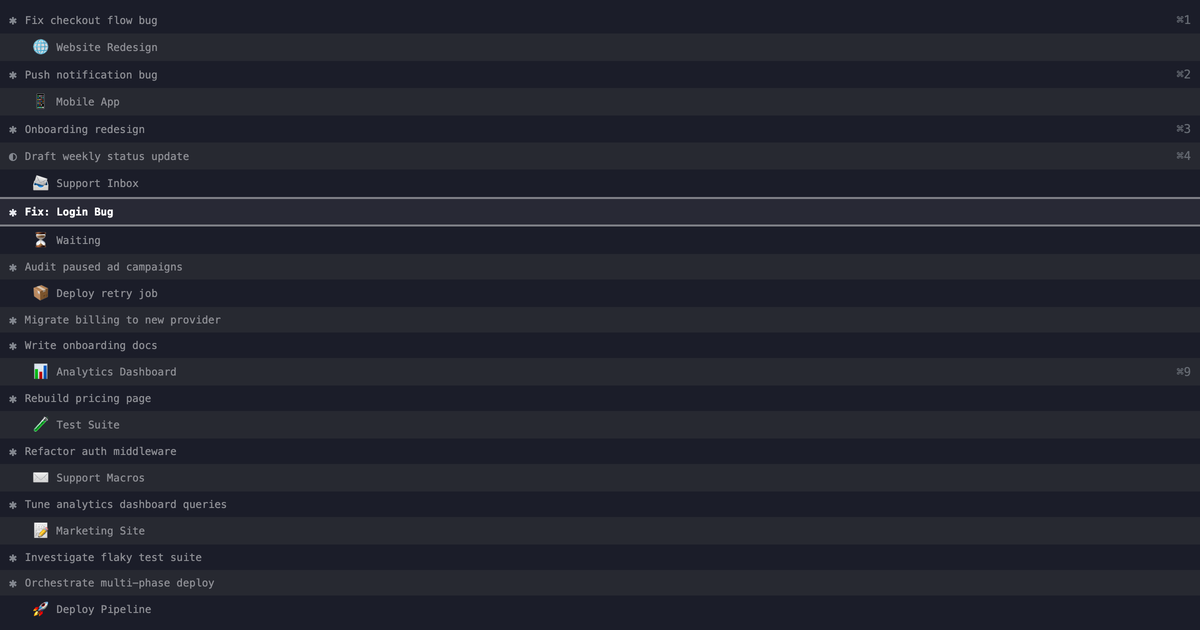
The other habit is entirely mine, and it’s dumb simple: fake tabs that exist only as section dividers. A header is just an idle tab with a title, an emoji, and a slightly different background color that never gets selected or run.
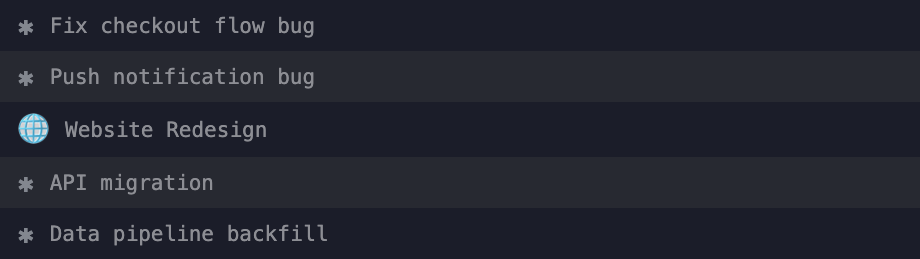
I use them the way you’d use folder headers in a file browser: drop one in above a related cluster of work tabs and the vertical sidebar reads like an outline instead of a flat list. iTerm has no native concept of this; it’s just an idle tab used as furniture.
Tabs spawning tabs
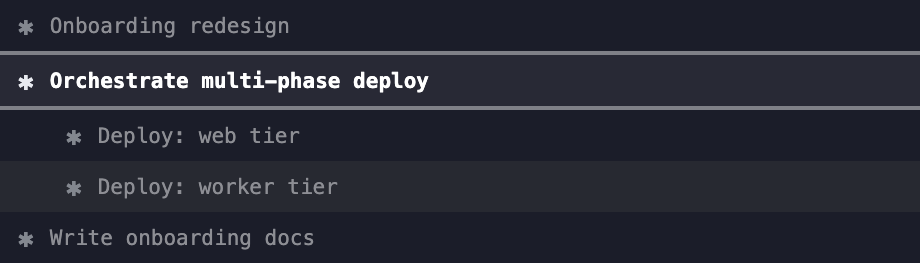
The last piece is that this isn’t limited to me hitting Cmd+T. iTerm2 exposes a real, documented Python API: you can script the creation, closing, and selection of tabs and panes from outside the app entirely. I use it so an agent can open a brand new tab running a genuinely separate Claude Code session, not a sub-agent living inside its own conversation, an actual independent process with its own context, spawned the same way I’d spawn one by hand. That’s a meaningfully different thing from a sub-agent: it gets its own terminal identity, its own tab title, its own place in this whole layout system, and it keeps running even if the session that spawned it closes.